Cristie RBMR

RBMR: System Recovery for Rubrik®

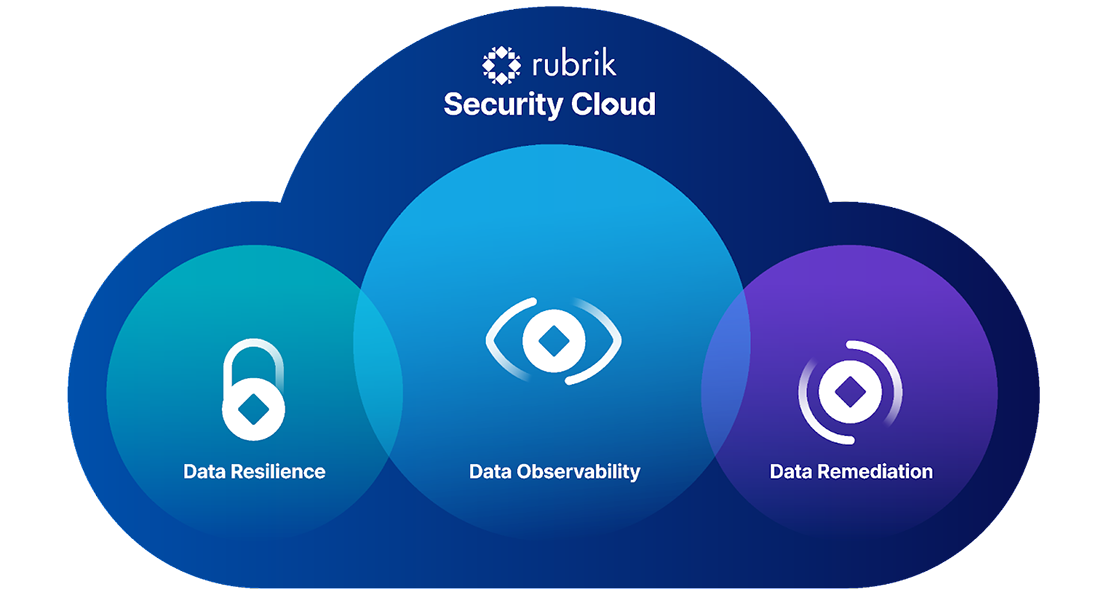
RBMR system recovery for Rubrik® protects your critical servers by recovering them directly from your Rubrik Security Cloud backups.

Systen Recovery for Rubrik

Overview

RBMR System Recovery for Rubrik® simplifies the automated recovery of multiple systems.

RBMR System Recovery for Rubrik® provides powerful features that remove complexity and manual intervention from your recovery workflow. Recovery simulations can be scheduled to ensure your disaster recovery plan will work when you need it most.
Ready for true enterprise resilience? Start your free Cristie trial.

Features

System Recovery for Rubrik® key features & benefits

RBMR is re-sold globally by Rubrik® channel partners as a recommended recovery solution and is available for both perpetual and subscription based licensing. For pricing, please contact.
RBMR provides DR automation and orchestration capabilities, plus the ability to recover systems within a sandbox environment to validate recovery processes and RTO objectives
System DR process audits are a core component of many industry compliance directives. Our DR orchestration tools enable the automation of recovery simulation reports to simplify your regulatory compliance procedures.
Adding RBMR to your Rubrik® environment allows recovery of operating systems, applications, user configuration and data to any point in time available in your Rubrik backup software. With our sandbox testing environment you can simulate system recovery with DR automation to verify that your recovery procedures will work when you need them most, and all without having to rely on manual intervention.
Recover directly from existing Rubrik® backups without extra infrastructure or management, RBMR supports both files/folders as well block based backups.
RBMR can recover systems from Windows, Linux, VMware, Hyper-V and cloud platforms such as Azure, OCI and Amazon EC2. Installations based on AIX and Solaris can also be supported through our standalone CBMR solution.

How RBMR works

Learn more about system recovery for Rubrik®.

The Rubrik® integration with RBMR allows Rubrik® to perform bare-metal recovery to any operating system that is supported by RBMR. RBMR works by booting a “recovery environment” which contains an operating system image with all required RBMR tools and scripts to facilitate the recovery process. RBMR will reconfigure the target system to match the original system’s disk/network layout, or these parameters can be modified if required. RBMR calls to Rubrik® to recover the data and prepares the system to boot – injecting any new drivers necessary when configuring the bootloader.

Simulated recoveries can also be scheduled so that an entire server infrastructure can be tested over a desired timeframe. The recovery machines can be held in an isolated network and released after each simulation, so storage is not permanently required. Detailed reporting highlights any problems encountered and provides a full audit track of successful results.

RBMR System Recovery for Rubrik® - Workflow Sequence

Rubrik Security Cloud
VM, Cloud or Physical Server

Rubrik Security Cloud

Prepare Server

Install RBMR Agent
Install Rubrik Agent
Create/Copy Binary

Protect Server

Create Protection Policy & Group

Download the Recovery ISO

Download the recovery ISO from Cristie

Boot Recovery ISO

Connect to Rubrik Platform

select desired snapshot

Complete Recovery

RBMR Recovery Environment

RBMR requires one license per system it protects and includes 12 month free support & maintenance. Find out more about our pricing here

The Cristie Software Blog

Clean Room Technology | Continuous Recovery Assurance from Cristie Software

What is Clean Room Technology in Cybersecurity?

Clean Room technology provides a secure, isolated environment to safely test and validate system recoveries after a cyberattack. By preventing reinfection from hidden threats like ransomware, it ensures recovery points are clean and reliable—making it an essential part of modern cybersecurity and business continuity strategies.

Read More »
Cristie Software introduces System Recovery PBMR for Dell Technologies PowerProtect Data Manager

Cristie Software introduces System Recovery PBMR for Dell Technologies PowerProtect Data Manager

Cristie Software introduces System Recovery PBMR for Dell Technologies PowerProtect Data Manager Cristie Software announces general availability of System Recovery PBMR providing automated system recovery and verification for Dell Technologies PowerProtect Data Manager. London, UK, 15 September 2025 – Cristie Software, a leader in system recovery, replication, and migration technologies, today announced general availability of Cristie System Recovery PBMR for Dell Technologies PowerProtect Data Manager. This new integration extends PowerProtect Data Manager environments with full system recovery capabilities, enabling bare machine recovery (BMR) to physical, virtual, or cloud-based targets. PBMR also features powerful automated recovery tools, including Continuous Recovery Assurance—which automatically performs a full system recovery within a clean room environment whenever a new backup is detected on a protected system. PBMR enhances Cristie’s system recovery portfolio, joining existing solutions for Dell Technologies Avamar and Networker platforms. “For over a decade, we’ve empowered Dell Technologies backup software users with robust system recovery capabilities. We’re proud to continue advancing our solutions to ensure Dell customers benefit from seamless, modern recovery tools fully compatible with the latest backup technologies.,” said Scott Sterry, VP Business Development at Cristie Software. “In today’s evolving cybersecurity landscape, it’s critical for businesses to implement a robust system recovery infrastructure built specifically for cyber resilience. Our Continuous Recovery Assurance reflects Cristie Software’s commitment to strengthening resilience through ongoing innovation—most notably with features like Advanced Anomaly Detection, which offers early warning of suspicious file encryption and potential malware activity.” Cristie Software PBMR adds full system recovery capabilities without the need for any additional backup job administration within Dell Technologies PowerProtect Data Manager. Dell Technologies customers can purchase PBMR licenses from Cristie Software or through the global Dell Technologies partner network. About Cristie Software Cristie Software, established in 2008, supports over 3,000 users across more than 70 countries with advanced system recovery and replication solutions. We serve many of the world’s leading organisations in healthcare, retail, manufacturing, the public sector, and financial services, and we are trusted by a third of the Global Fortune 500. Working through a global network of partners and resellers, we deliver effective, best-in-class solutions that ensure operational continuity and resilience. Our technologies are recommended worldwide by strategic partners including Cohesity, Rubrik, Dell, and IBM—enabling their customers with secure, automated system recovery and recovery orchestration. Cristie Software holds patented technologies focused on automation and machine learning for recovery and replication processes, with several additional innovations currently under patent review. In addition to developing proprietary software, Cristie expands its portfolio through strategic acquisitions, including the license and development rights to SysBack from IBM and the acquisition of Storix Inc.. Learn more at www.cristie.com

Read More »

Contact the Cristie Software team for more information

Whatever your replication and data recovery needs, we are here to help.

https://www.cristie.com/wp-content/uploads/2022/09/thub-logo1.png

Contact Us

https://www.cristie.com/wp-content/uploads/2022/09/thub-logo1.png

Thank you for contacting us. We have received your request.

https://www.cristie.com/wp-content/uploads/2019/06/gdpr_130px.png
Privacy Overview

This website uses cookies so that we can provide you with the best user experience possible. Cookie information is stored in your browser and performs functions such as recognising you when you return to our website and helping our team to understand which sections of the website you find most interesting and useful.